


You’ve found the front door and the information desk. Now for the part where you actually get to talk to people.
This stretch of the sidebar is where you get plugged in. Main Chat is the surface-level, everyday stuff, and Voice Chat is where we’d love to hear you, literally.
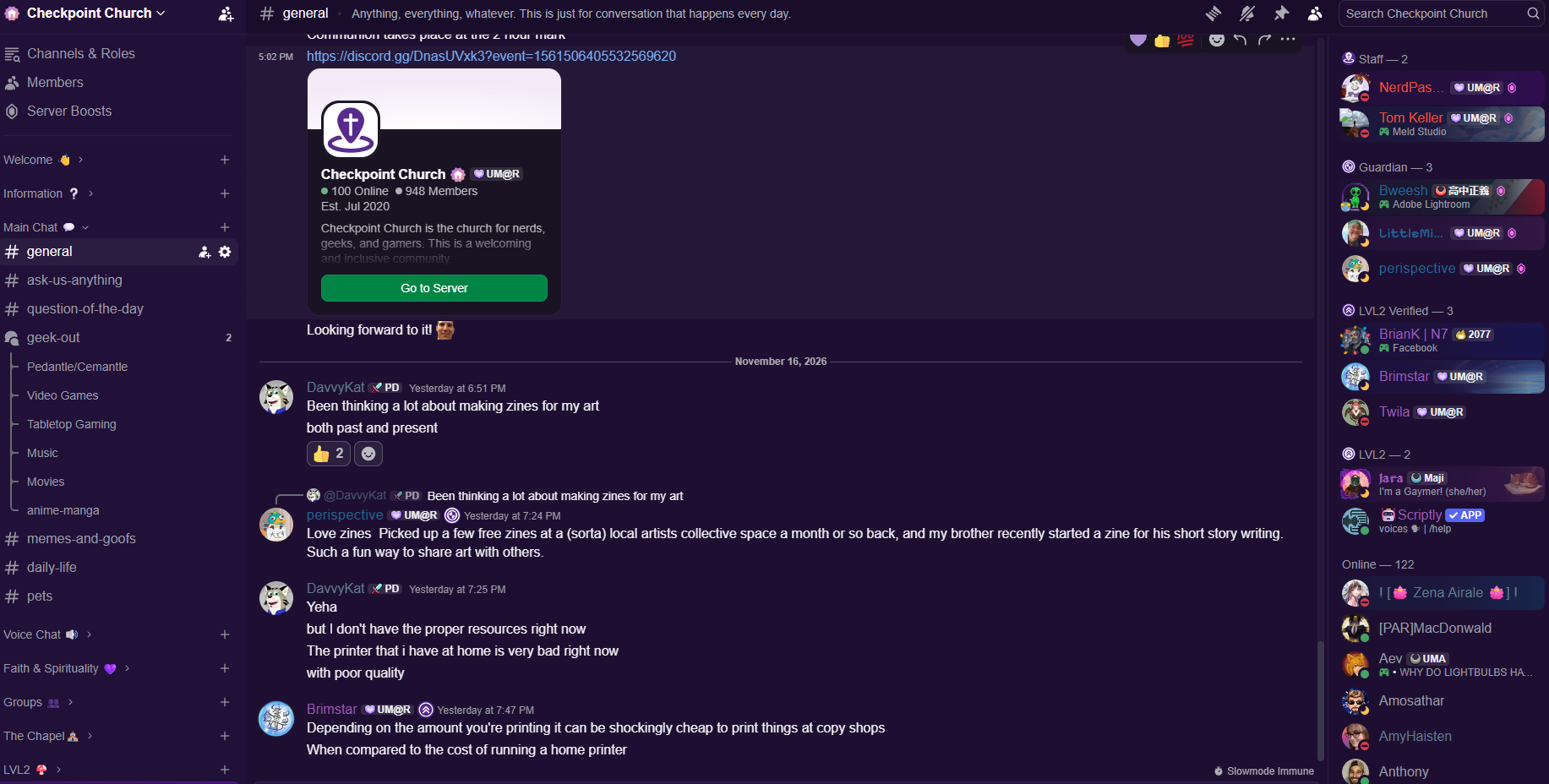
Main Chat
These are meant to be easy conversations, the kind you’d have in the lobby before anything starts.
General. Exactly what it says on the tin. Say good morning, tell us what you had for breakfast, talk about whatever is happening that day.
Ask Us Anything. Help tickets are for private questions. If your question isn’t private and might help everyone, ask it here. Sometimes I’ll answer, sometimes a LVL2 member (purple names) will, sometimes a Guardian (dark blue names) will, and sometimes someone who joined last week will beat all of us to it.
Question of the Day. We ask a new question every Monday through Friday. Answering it, or even just dropping an emote on it, is one of the easiest first steps toward getting plugged in.
Geek Out. Our home for fandoms. More on this one below.
Memes & Goofs. For memes, and for whatever random thing is going on. I sometimes post bits of news here that feel relevant to Checkpoint but don’t fit any particular fandom.
Daily Life. A peek at your day, as much as you want to share. Think of it as your old-school Instagram feed, with the dog at the park and the road trip snack stop.
Pets. 🐕
Every channel has a description. On a computer, it’s at the top of the window. On mobile, you’ll need to tap into the channel to see it.
Geek Out, our fandom forum
Geek Out works differently from the other channels. Notice that it has little speech bubbles next to it instead of a hashtag. That means it’s a forum. When you click it, you land on a hub with a whole lot of individual threads, one for each fandom: a video game, an anime, a tabletop game, a YouTube series, whatever people love.
You choose which ones to follow, and only the ones you follow show up in your feed.
Why we set it up this way. We kept running into the same problem: so many fandoms, so many interests, that the sidebar was getting out of control. Instead of a forever-long list that everyone had to scroll past, we built Geek Out so that you decide how long your feed is. If you only care about one game, that’s the only thing you’ll see. You don’t have to keep up with the anime world, the tabletop world, or any of the other niches unless you want to.
Here’s how to use it:
Open Geek Out and search for your fandom.
If a thread exists, join it and start talking: memes, lore, spoilers, the last time your mind was blown, whatever music you can’t stop listening to.
If it doesn’t exist, make one. Then let people know you started it, because someone out there probably loves the same thing and would love to know there’s a place for it.
I do this myself. When a new music video drops from a project I follow, I head to its thread, follow it again, and go see what everyone’s saying.
Voice Chat
This section is a folder of voice channels, and a few of them work a little differently than you might expect.
Everything inside stays locked, and that’s on purpose. We don’t allow any channel where you can turn on your voice or video unless two background-checked adults are present. That’s part of our safety policy, and we’ll spend a full post on it later in the series.
Practically, you don’t need this folder open. Click the little arrow to collapse it and you can still reach voice chats in other, easier ways.
When we actually gather live
The voice channels are where our live gatherings happen, so here’s what a typical week looks like. All times are Eastern.
Lunch, every Wednesday at noon. An hour of shooting the breeze, hanging out, and getting to know one another. It’s very low-key, and the barrier to entry is about as low as it gets.
Manna & Mingle, every Sunday night at 7. Our main weekly gathering. It’s a time to be together, to lurk, to share what you’re up to, or to just be around other people. Some folks screen share a game or a VR world. We also celebrate communion here, and we’ll give that its own post later in the series.
At both, you don’t have to turn your camera or microphone on. You can listen in, type in the chat, and still be a full part of the room. Showing up is the whole point.
Beyond those two, other live opportunities come and go: special guests, clubs, small groups, Bible studies, and one-off hangouts. The easiest way to see what’s coming up is the Events tab, where you can RSVP and get a ping when something starts.
Where to go from here
That covers the places where we talk, hear each other, and geek out. Next, we’ll look at the spiritual side of the server and the clubs and groups you can join.